Reliable Label Printing Equipment For Tight Production Schedules
When production schedules are tight, label printing equipment becomes either your greatest asset or your worst bottleneck. A reliable machine for label printing keeps pace with production, maintains print quality under pressure, and prevents the cascading delays that happen when a label printer fails mid-shift.
An unreliable machine for label printing stops production entirely. Staff wait. Finished goods accumulate waiting for labels. Deadlines slip. Emergency expedited printing costs more than the equipment saved in the first place. Reliability isn’t a luxury in tight schedules – it’s essential operational infrastructure.
Why Reliable Machines Matter Under Pressure
A production line moving at capacity has no slack. Labels need to be ready when products reach the labelling station. If the printer jams, needs cleaning, or requires troubleshooting, the entire line pauses.
Downtime isn’t just idle time. It’s a cascade effect: finished goods waiting, unfinished inventory backing up, staff standing idle, deadlines at risk. A one-hour printer failure in a busy production environment costs exponentially more than a one-hour delay in a quiet period.
Reliable equipment prevents these scenarios. Machines that run consistently, handle high-volume printing without jams, overheating, and maintain print quality throughout long shifts keep production moving.
Choosing A Machine For Your Production Volume

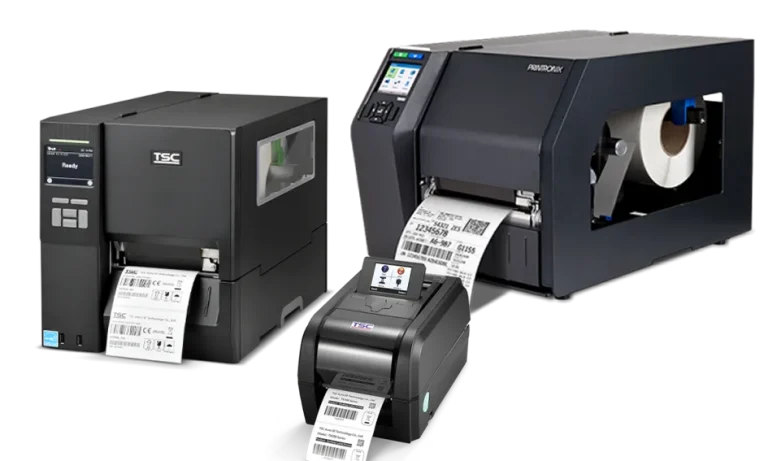
Mobile thermal printers: Print speeds up to 127mm per second. Suitable for low volumes where staff need to print on demand in situ. Tough external case to prevent drop damage. Direct thermal printing only – no thermal transfer printing options available.
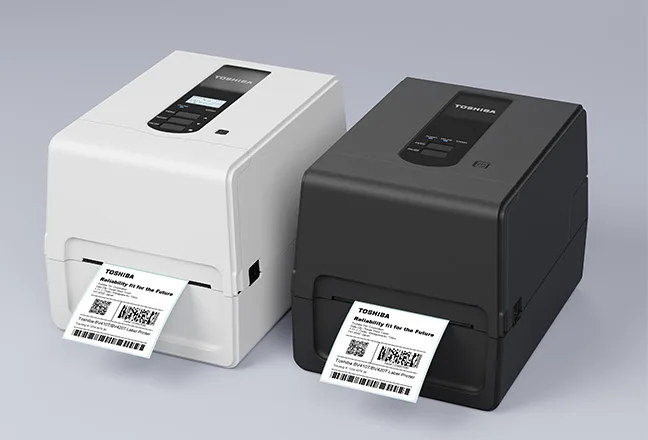
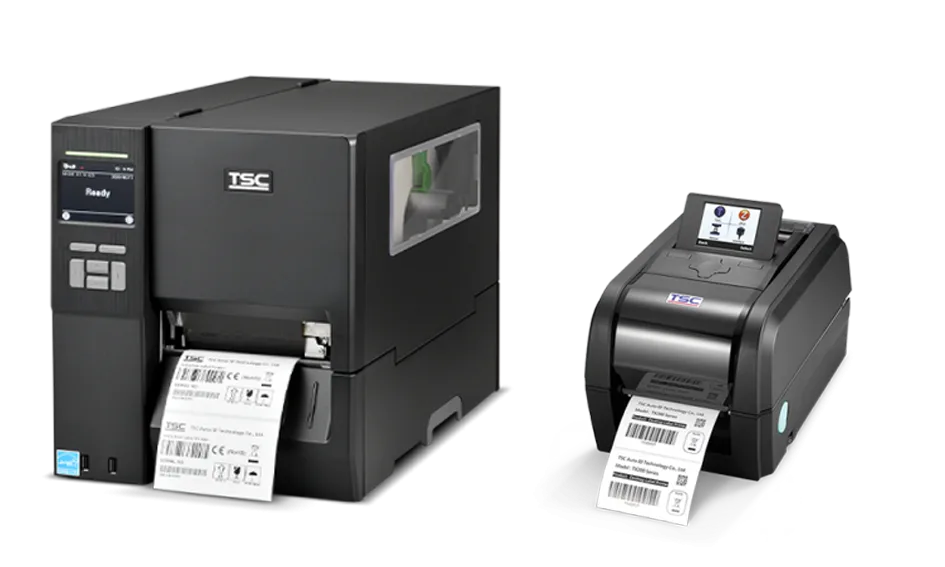
Desktop thermal printers: Print speeds ~200mm per second. Suitable for moderate volumes (under 500 labels per shift). Compact, affordable, easy to operate. Less robust under continuous high-volume use – these will overheat if doing long print runs in one go.
Industrial thermal printers: Print speeds 600mm per second. Built for high-volume continuous operation – unlike a desktop printer, these will not overheat on long print runs. Larger footprint, higher cost, more capacity between roll and ribbon changes, and designed for busy production environments.

Industrial inkjet printers: Flexible colour printing, variable colour capability – good for on-demand traffic light labelling for food and drinks labelling. Slower than thermal, but valuable for complex labelling. Suitable for moderate to high volumes with variable requirements.
Matching your equipment to your actual volume prevents both underutilisation (buying expensive industrial equipment for light use) and bottlenecking (using slow equipment when you need speed).
The Role Of Label Printer Software
The printer itself is only one component. Label printer software controls what gets printed, how it gets printed, and whether errors reach production.
Good label printer software transforms a good machine into a reliable production system. Poor software turns a capable printer into a source of frustration.
Maintenance And Reliability
Reliability depends on both equipment quality and printer maintenance discipline.
Common Equipment Mistakes Under Time Pressure
Buying cheap equipment to save upfront cost, then losing far more to downtime. Choosing equipment designed for light use when you need heavy-volume production. Ignoring software quality and operator training. Deferring maintenance until equipment fails.
If you fail to schedule maintenance, the machine will schedule it for you!
FAQ: Label Printing Equipment For Production
Q: How often does label printing equipment need maintenance? A: Daily cleaning (2 minutes), weekly preventative checks, component replacement as needed (print heads roughly annually, depending on duty cycle, rollers every 12-24 months typically).
Q: What’s the difference between desktop and industrial printers? A: Desktop printers handle 100-1000 labels per shift with ease. Industrial printers handle 1,000+ per shift and can do far more. Industrial printers are built for continuous operation; desktop for intermittent use.
Q: Can I upgrade software on older equipment? A: Often yes, but not always. Check with your equipment vendor. New software sometimes requires hardware upgrades to run properly. Label Direct software runs with a limited range of thermal printers, whereas EnLabel can print on any printer so long as you have the driver.
Q: How much does label printer software cost? A: Ranges from included in the printer (basic) to £1,000-10,000 for enterprise systems with full integration. Cost correlates with capability and complexity. Positive ID Labelling bundle thermal printers, labelling software and food data software together for our customers – and include online installation and on-going technical support for all our label purchasing customers – read about free allergy labelling software.
Q: Should I buy or lease printing equipment? A: For tight schedules, ownership ensures immediate access and priority support. Leasing adds dependency on vendor availability. Ownership typically wins for critical production equipment.
Getting Label Printing Equipment Right
Reliable printing equipment is an investment in production consistency. It keeps your operation moving when schedules are tight, maintains quality, and prevents the cascading failures that happen when equipment fails under pressure.
At Positive ID Labels, we supply and support label printing equipment suitable for production schedules from light to extreme volume. We help you choose equipment matched to your actual needs and train your team to operate it reliably.
Need guidance on label printing equipment for your production schedule? Call us on 01332 864895. Describe your volume, your schedule pressure, and your product mix. We’ll recommend equipment and software that keeps your production moving.
Reliable printing equipment is the foundation of consistent label production under pressure.