Desktop Label Printers vs Industrial: Which Do You Actually Need
Choosing between desktop label printers and industrial label printers usually comes down to one number: how many labels you print in a day. Get it wrong in either direction and it costs you, either in a printer that wears out early or in capacity you paid for and never use.
Here is the short answer. Under about 1,000 labels a day, a desktop unit is right. Between 1,000 and 5,000, look an entry-level industrial. Above 5,000, or anywhere the printer running is the difference between despatching and not despatching, buy industrial, every time.
Positive ID Labels supply, install and support both desktop label printers and industrial label printers, along with the labels and ribbons that run through them. This guide covers the real differences, which matter far more than the headline print speed.
Desktop Label Printers and the Duty Cycle Question
Manufacturers quote print speed in inches per second, and buyers fixate on it. Whilst print speed is important, it is not the number to lead with.
Duty cycle is the figure that matters: how many labels the machine is designed to produce in a day without shortening its life. Running any printer at the top of its stated range, day after day, wears the printhead faster and brings forward the first breakdown.
A desktop label printer typically quotes a duty cycle in the low thousands. An industrial machine is built for continuous production, often tens of thousands, with a metal chassis, larger media capacity and a printhead rated for far more linear metres.
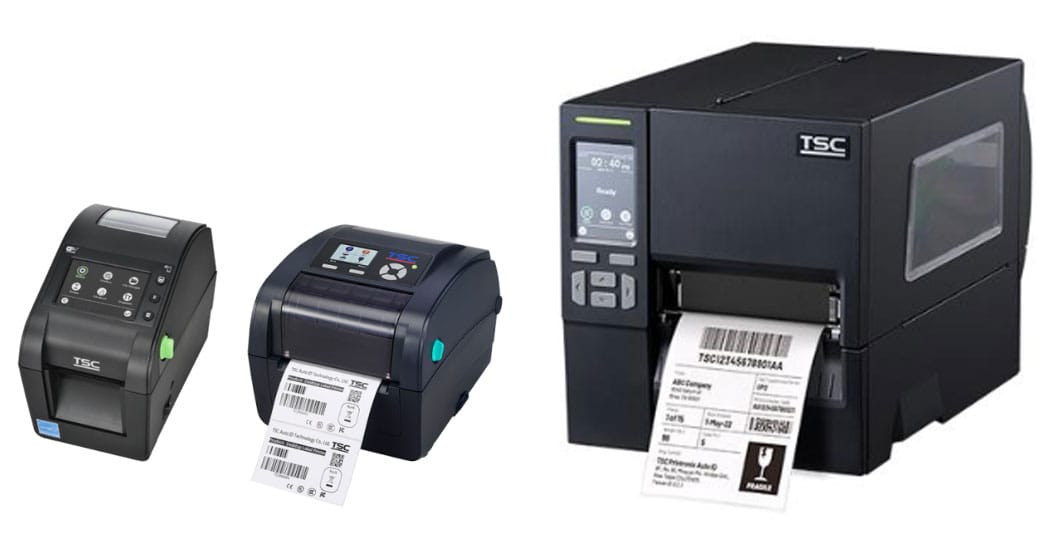
Positive ID Labelling supplies TSC desktop label printers and industrial label printers, chosen for the durability, reliability and ease of use.
What a Desktop Label Printer Does Well
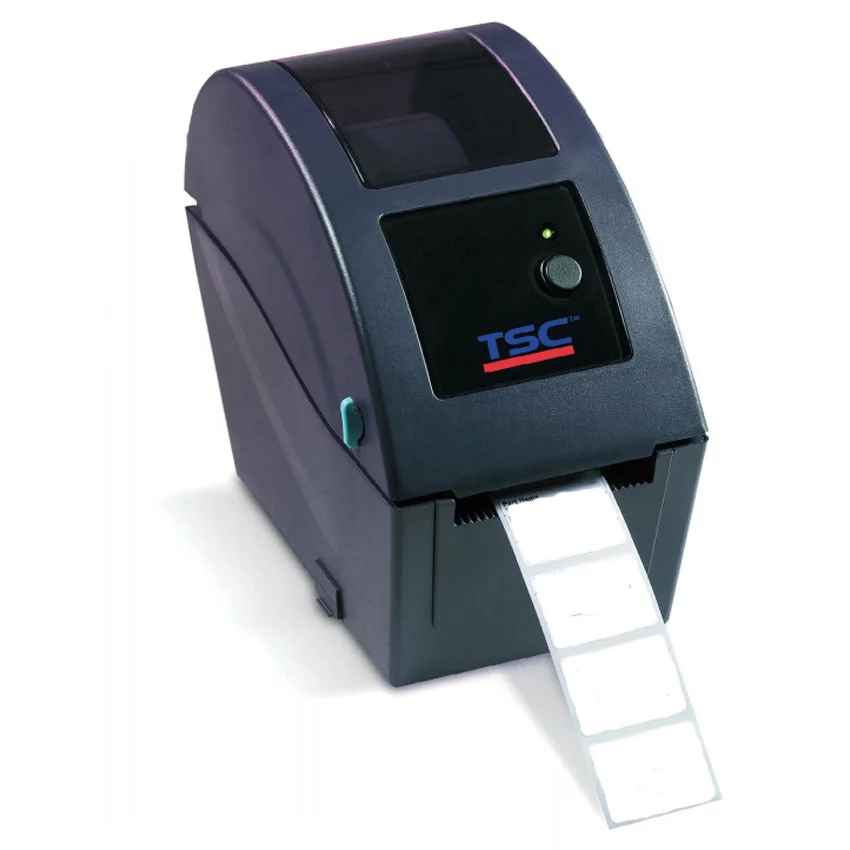
Desktop label printers suit the majority of smaller businesses, and there is no shame in that.
They sit on a counter, plug into a normal socket, and print without ceremony. A cafe producing sandwich labels each morning, a small food producer batch coding, a workshop marking parts, an e-commerce operation printing a few hundred despatch labels a day: all of these are comfortably served by a desktop unit.
The advantages are real. Lower purchase price, a smaller footprint, simple media loading that any member of staff can learn in five minutes, and quiet operation in a room where people are working.
The limits are equally real. Smaller label rolls mean more frequent reloading. Plastic construction handles a clean office or kitchen but not a dusty production floor. And the printhead has fewer metres in it before replacement.
When a Desktop Label Printer Is Not Enough
Three things push you into industrial territory, and only one of them is volume.
Volume. Above roughly 5,000 labels a day, sustained, a desktop machine is being asked to do a job it was not designed for. Desktop label printers will overheat and cut out to protect themselves.
Environment. Dust, vibration, temperature swings and washdown areas destroy plastic-bodied printers. A metal chassis and sealed construction exist for a reason.
Continuity. This is the one people underestimate. If labels gate your despatch, then when the printer stops, everything stops. Industrial machines are built to keep going and are far easier to service in place.
Larger media capacity matters more than it sounds, too. An industrial printer takes bigger rolls, so an operator reloads a handful of times a shift rather than constantly.
The Desktop Label Printer Question Nobody Asks
What happens when it fails?
Thermal printers are remarkably reliable, and that is precisely what makes them dangerous. Because they rarely break, businesses build processes around them that quietly assume they never will.
For a small operation, the answer might be a spare desktop unit in a cupboard. It costs less than a day of lost despatch. For anything larger, genuine redundancy is not an extravagance; it is business continuity.
The same logic applies to consumables. Running out of ribbon at four on a Friday costs more than a year of holding a spare box.
Total Cost, Not Purchase Price
An industrial printer costs several times that of a desktop unit up front. Over five years the gap narrows considerably, because printhead replacements, service visits and downtime all favour the machine that was specified correctly.
Work it out honestly. Take your daily label volume, multiply by 250 working days, and compare that against each machine’s duty cycle. If you are running a desktop unit at 90% of its rating every day, you are buying a new printhead far sooner than the specification suggests. We are happy to do that sum with you on the phone: 01332 864895.
Frequently Asked Questions
How many labels a day can a desktop label printer handle? Most desktop models are rated between 1,000 and 3,000 labels a day. Heavy-duty desktop machines push higher. Check the manufacturer’s duty cycle rather than the print speed, and aim to run at no more than 70% of it for a comfortable working life.
Can I use the same labels in both printer types? Usually yes, but roll size differs. Industrial printers take larger diameter rolls and often a larger core, commonly 76mm. Desktop machines typically take 25mm or 38mm cores with smaller outer diameters. We supply the same material on whichever core your machine needs. If we know your machine, we will always supply the optimum consumables for your needs.
Is a 300dpi printer worth the extra over 203dpi? For plain text and standard barcodes, 203dpi is fine. Move to 300dpi if you print small barcodes, 2D codes like Data Matrix, or need to fit a lot of information onto a small label. Higher resolution also prints small text far more legibly.
What is the lifespan of a printhead? Printheads are rated in linear metres, commonly 26km or 1 year – whichever comes first. Actual life depends on darkness settings, material abrasiveness and cleaning discipline. Cleaning the head weekly with isopropyl alcohol is the cheapest maintenance there is. Using thermal printer ribbons protects the print head from abrasion from the paper.
Can an industrial printer be too much for a small business? It can. Beyond the cost, industrial machines take up serious space, are heavier, and their configuration options can overwhelm staff who just need to print a label. If a desktop unit does the job, we will tell you so.
Do I need special software? You need labelling software that talks to the printer in its own command language rather than treating it as a generic Windows device. That matters most for barcodes, where the printer generating the code itself produces far cleaner results than sending it across as an image.
Talk It Through Before You Buy
The right printer depends on your volume, your environment and what happens downstream if it stops. Those are three questions, and they take about five minutes on the phone.
Tell us what you are labelling and how many a day, and we will tell you honestly which machine fits. If a desktop unit does the job, we will say so rather than sell you something larger.
Call 01332 864895 and ask for the technical team, or send your requirements through the enquiry form.