Barcode Label Printers: How To Choose The Right One
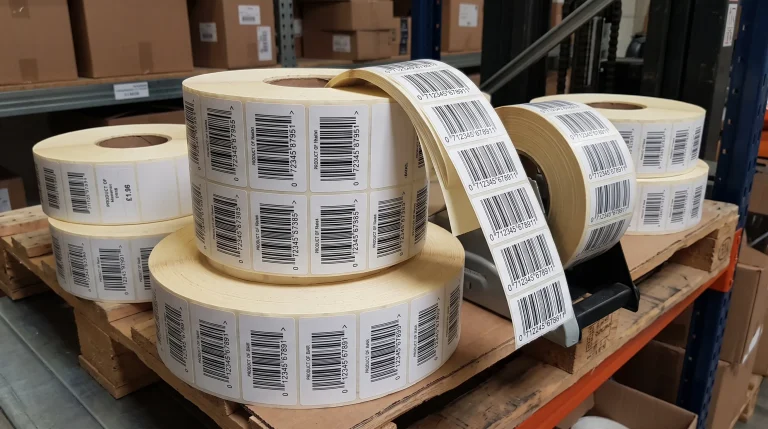
Barcode label printers are integral to business success. A barcode that will not scan is worse than no barcode at all. It stops the picker, holds up the line, and turns a two second job into a five-minute one. Most of the time the fault is not the scanner and not the barcode design. It is the printer, or more precisely the relationship between the printer and the software driving it.
Positive ID Labels have supplied barcode label printers and the labels that run through them for over twenty years. This guide covers what actually matters when choosing one, including several things that never appear on a specification sheet.

Resolution Is Only Half The Story
Resolution is the first specification people compare when shopping for barcode label printers, and on its own it tells you very little.
Every barcode has an X-dimension: the width of its narrowest bar. Everything else in the symbol is a multiple of it. Get it wrong, and the barcode fails verification even if it looks perfect.
Here is the part most buying guides skip. A thermal printhead is a row of heating elements. It places a dot, or it does not. There is no half dot.
- At 203dpi, one dot is roughly 0.125mm
- At 300dpi, one dot is roughly 0.085mm
- At 600dpi, one dot is roughly 0.042mm
Ask for a narrow bar of 0.20mm on a 203dpi printer, and that is 1.6 dots. The printer cannot do 1.6, so it rounds, and the rounding is not consistent across the symbol. Some bars come out wide, some narrow, and the ratios a scanner depends on start to drift.
Why Barcode Label Printers Need Software That Speaks Their Language
The fix is software that knows the printhead it is talking to. Good labelling software tells the printer to generate the barcode itself, using its own resolution. The bars land on whole dots and the ratios stay exact.
Software that renders the barcode on your PC and sends it as a picture cannot do this. It fixed the edges before the printer ever saw it.
This is why we supply Label Direct or EnLabel labelling software with the barcode label printers we sell. It speaks to the printer in its native command language rather than treating it as a generic Windows device. On a 203dpi machine, that difference alone can separate a grade A barcode from a rejected delivery.
Never Send A Barcode To A Barcode Label Printer As An Image
If you take one thing from this guide, take this. Never paste a JPEG of a barcode into a label design.
JPEG compression is lossy. It smears soft grey pixels along every hard edge, which is fine for a photograph and disastrous for a barcode. A printhead cannot print grey, so it forces those pixels to on or off, and the bar edges come out ragged.
Scale the image to fit, and it resamples again. PNG is better, being lossless, but it still fixes the edges at whatever resolution the file was made at, which will not match your printhead.
Let the printer generate the barcode. Always.
TOP TIP: If you are creating artwork for print – a product label including an EAN-3 for example, you can use a genuinely powerful online barcode generator such as Terry Burton’s free barcode generator.
Testing Your Barcode Label Printer Printhead
Printheads on barcode label printers wear out. Elements fail one at a time, and the failure is easy to miss until a customer rejects a delivery.
There is a ten-second test anyone can run on any printer. Design a label that is one solid black rectangle covering the whole label and print it. A failed element shows up instantly as a clean white line down the length of the label.
TSC barcode label printers also include a diagnostic utility that reports printhead health properly, including element status and wear. When running barcodes in volume, check monthly. If a scanner starts failing intermittently on labels that used to be fine, check the printhead before blaming anything else.
Which Way Round Should The Barcode Sit?
This is a genuine decision, not a design detail, and it interacts directly with printhead wear.
Picket fence, sometimes called waterfall, has the bars running in the same direction the label feeds. This is the standard choice and it gives the cleanest, most consistent bar edges.
Ladder has the bars running across the web, so they look like the rungs of a ladder.
The trade-off is what a failed element does to each. In picket fence, the white line runs parallel to the bars, so it can slice down one bar for its full height and destroy the symbol. In ladder, the line crosses every bar at one height, and the scanner reads at a different point.
That makes ladder sound safer, but it is not what we recommend where accuracy matters. Ladder loads the printhead far harder, wears it faster, and is more sensitive to feed variation. Print picket fence and check the printhead regularly. The black square test exists precisely because picket fence is the right orientation and printhead health is the risk that comes with it.

Capacity, Duty Cycle And The Printer You Have Not Bought Yet
Every printer quotes a duty cycle, usually in labels per day. Take it seriously, because running at the top of the range shortens a printer’s life considerably.
Desktop barcode label printers suit one to three thousand labels a day. A cafe, a small food producer, a workshop, a growing e-commerce operation. Compact, straightforward, cheap to run.
Industrial barcode label printers are built for continuous work, and fifty thousand labels a day is achievable. They cost more and take more room, and they keep going.
Now the part nobody enjoys. Thermal printers are remarkably reliable, and that reliability is what makes them dangerous. Because they rarely fail, businesses build processes that quietly assume they never will.
When a barcode printer stops, everything downstream stops. Nothing leaves the building. If despatch depends on printing barcodes, a second printer is not an extravagance; it is business continuity. That might be a spare desktop unit in a cupboard, or genuine redundancy on a high volume line.
The same applies to consumables. Running out of ribbon at four on a Friday costs more than a year of holding a spare box.
Direct Thermal Or Thermal Transfer?
The last question is how long the barcode needs to survive.
Direct thermal uses heat-sensitive material and no ribbon. Fewer consumables, less to go wrong, lower cost per label. The image fades with heat, sunlight and time, typically holding up for six to twelve months.
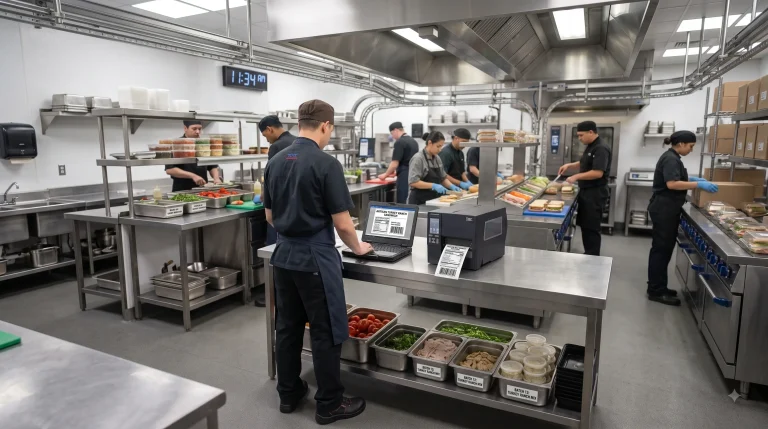
For fresh food with a short shelf life that is the sensible choice. The product is eaten long before the label degrades, and paying for ribbon would be waste.
Thermal transfer lays wax or resin onto the label from a thermal ribbon. It costs more per label and survives heat, abrasion, moisture and UV.
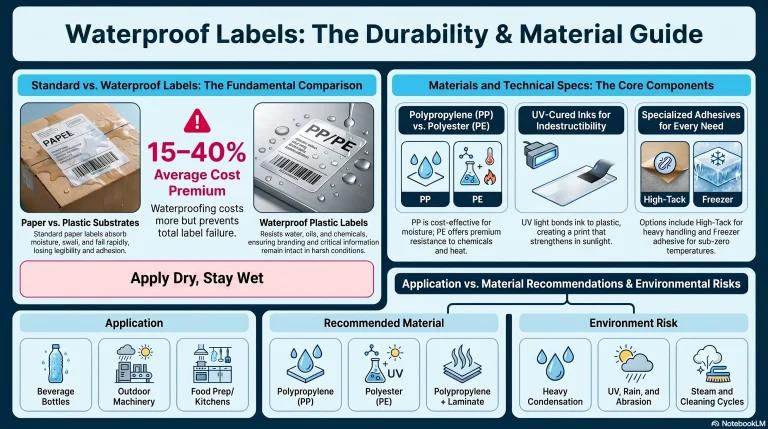
Choose it for asset labels, chemical drums, outdoor storage, long shelf life products, and anything handled repeatedly. Match the ribbon to the material: wax for paper, resin for synthetics like polypropylene, wax resin in between.
Get this wrong either way, and it costs you. Direct thermal on a long-life product means unreadable barcodes in year two. Thermal transfer on a sandwich label means paying for durability you bin the same day.
Frequently Asked Questions
What resolution do I need on barcode label printers? For standard retail barcodes at full size, 203dpi is usually enough. Move to 300dpi for small X-dimensions, 2D codes like Data Matrix, or tight spaces. Anything packing a lot of data into a small area benefits from the higher resolution.
Why does my barcode scan on one scanner but not another? Almost always print quality rather than the scanner. Different scanners have different tolerances, so a marginal barcode passes one and fails another. If a symbol only just passes, treat that as a failure and find the cause.
Can I print barcodes on a normal office printer? For internal use, sometimes. For anything reaching a retailer or supply chain, no. Toner and ink spread slightly into the paper and soften bar edges, and office machines cannot handle label rolls.
How often should I check the printhead? Monthly for high volume operations, quarterly for lighter use. The solid black square test takes seconds and catches element failures before your customers do.
Do I need to buy labels from my printer manufacturer? No. Materials and ribbons are widely compatible across barcode label printers. What matters is that the material suits the application and the ribbon suits the material. We supply labels and ribbons for TSC, Zebra, Toshiba and most other makes.
Should the barcode be printed as a ladder or picket fence? Picket fence for accuracy, which is what we recommend for most work. Ladder is more tolerant of a failed printhead element, but it wears the printhead faster and is more sensitive to feed variation.
Talk It Through Before You Buy
Choosing between barcode label printers is really four decisions at once: the printer, the software driving it, and the material running through it – or if you need high volumes, should you ask us to print your barcode labels for you. Get one wrong and the other three cannot rescue it.
We would rather talk you into the right specification than sell you the wrong one twice. Tell us what you are labelling, how many a day, and how long the barcode has to last. If a desktop printer does the job, we will say so.
Call 01332 864895 and ask for the technical team, or send your requirements through the enquiry form. We quote a fixed price, not an estimate, and most orders leave us within five working days.