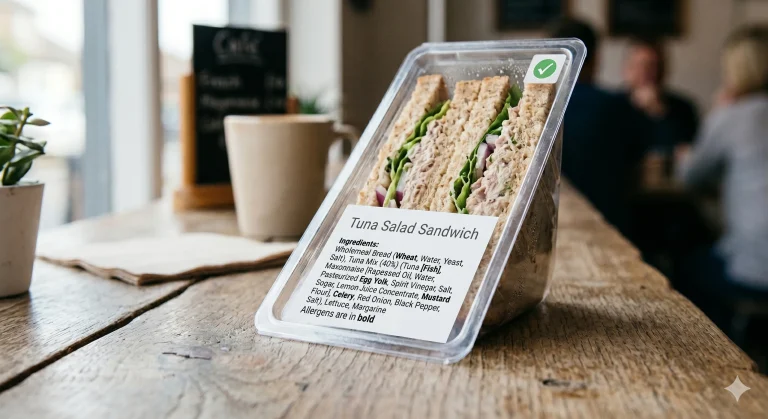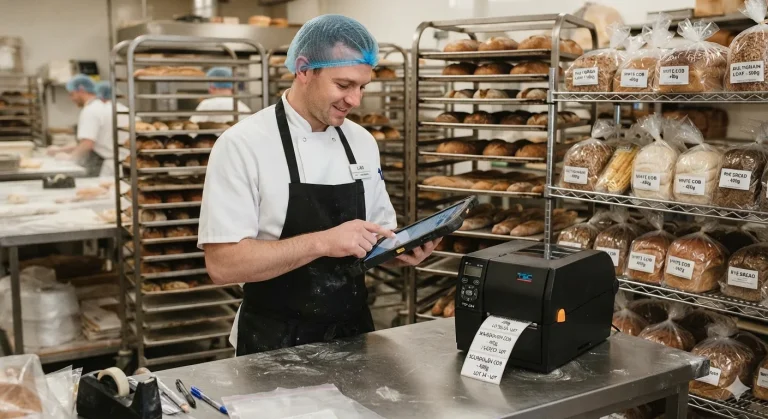
Why Labelling Errors Happen And How To Avoid Them
Labelling errors are rarely intentional. Yet they happen constantly: a batch code typed incorrectly, an outdated recipe on labels, a supplier change not reflected on packaging. When errors occur, the blame falls on carelessness. Usually, the real cause is system failure: the process for creating labels has no protection against mistakes.
This guide explains why errors happen and the process controls that prevent them.
The Six Root Causes Of Labelling Errors
Manual Data Entry
Transcription errors are inevitable when data moves through human hands. A warehouse worker typing a ten-digit barcode has roughly a 1-2% error rate. On high-volume labelling, this means errors on most shifts.
Why? No validation. The system prints whatever is typed.
Outdated Label Templates
A label template created two years ago is used today, but the recipe has changed. The template is on someone’s computer; nobody knows an updated version exists.
Why? No version control. No system marking which version is current.
No Approval Before Printing
Labels are printed by whoever has access to the printer. There’s no checkpoint where someone responsible verifies the label is correct.
Why? Speed is prioritised over accuracy. Approval is seen as slowing things down.
Labels Not Updated When Product Information Changes
A recipe changes. The label isn’t updated because the person who knows about the change doesn’t communicate it to the person managing labels.
Why? Communication gaps. No formal process triggers label review when product information changes.
Poor Version Control
Multiple people have different versions of the same template on their computers. One person uses version 1.0 (outdated). Another uses version 2.5 (current). A third doesn’t realise versions exist.
Why? Templates aren’t centralised. No process notifying people when templates change.
No Staff Training On Why Accuracy Matters
New employees print labels without understanding why accuracy matters. A missing allergen doesn’t feel critical; it feels like bureaucracy.
Why? Onboarding focuses on task execution, not consequence.
Useful guides to prevent food labelling errors:
- Allergen Labelling Guide
- Nutrition Declaration Guide
- Food Labelling Requirements Guide
- Natasha’s Law Practical Guide
How To Prevent Errors: A Six-Point Process
1. Centralise Label Data
Create a single master file for each product’s label information: product name, ingredients, allergens, dates, supplier details, and batch codes.
This master file is the only source of truth. Nobody works from personal copies.
How: Use shared storage (cloud drive, company network) or label management software. Have a single person in control of labelling. Document procedures and include them in staff training.
2. Require Approval Before Printing
Before labels are printed, someone responsible reviews them: Are ingredients current? Are allergens listed? Is the date marking right? This takes five minutes but catches most errors.
How: Print a test label. Review it. Initial and date (your approval record). Then run full production. A few moments spent verifying saves hours of reproduction or overlabelling after the error is found.
3. Use Version Control For Templates
If using templates, number them: “VERSION 2.5 – CURRENT.” Old versions are “ARCHIVE – DO NOT USE.” When templates change, the version updates and users are notified.
How: Shared folder with “Current_Templates” and “Archived_Templates” sections. Actively manage deprecated versions out of the printing system.
4. Trigger Label Review When Product Information Changes
Set one rule: whenever product information changes (recipe, supplier, certification, address), the label is reviewed and updated immediately. Link the change to the label review, so they’re not separate events.
How: Checklist: Recipe changed → Update ingredients → Review label → Print test → Approve.
5. Maintain An “Updated” Audit Trail
Document every label change: what changed, when, who approved. This creates accountability and traceability.
How: Simple spreadsheet: “Label Update Log” with change date, description, and who approved.
6. Train Staff On Consequence, Not Just Process
When onboarding, explain why accuracy matters: “Allergen errors cause serious allergic reactions. If you’re unsure, ask.” Understanding consequences makes staff prioritise accuracy.
How: Five-minute training with real examples (not hypothetical).
The Investment: Time vs Risk
Investing time in the setup can save hours of frustration for many years. A robust system that protects from “error by design” pays off many times.
Setup takes 4-8 hours: – Create master files: 2-4 hours – Develop templates and procedures: 1-2 hours – Train staff: 30 minutes per person. The payoff: virtually eliminated labelling errors, reduced reprinting costs, avoided regulatory issues, and protected customer safety.
This isn’t bureaucracy. It’s insurance.
Common Process Failures And How To Fix Them
- Labels printed without approval because “we’re running late.” Solution: Make approval faster (test label takes 30 seconds) and non-negotiable. Even if running late, approval is 30 seconds. Reprinting takes hours.
- Multiple people create labels independently, causing inconsistency. Solution: One person responsible for label creation (or a small trained team). Others request changes; one person implements.
- Supplier change happens, but the label isn’t updated. Solution: Supplier change automatically triggers label review. Email reminder: “Supplier X changed. Review label.”
- Old label stock was used accidentally after new labels were printed. Solution: Destroy or permanently mark old labels when new ones print.
- Customers told the wrong information because labels weren’t checked. Solution: Someone approves every label before printing. That person is responsible.
FAQ: Labelling Error Prevention Questions Answered
Q: Is approval faster than reprinting due to errors? A: Yes. A few minutes spent verifying a label’s accuracy is a good investment. Reprinting due to errors takes hours and costs product waste.
Q: Who should approve labels? A: Someone responsible for the product – owner, product manager, or an experienced team member who knows the requirements.
Q: What if multiple people need to create labels? A: Devise a robust system. Train staff identically to get identical outcomes. Use shared templates and master data. Regular check-ins confirm everyone uses current information.
Q: How do I know if my process is working? A: Track errors over time. A good process reduces errors to near zero (occasionally, a human will make a mistake despite the system, but it’s rare).
Q: What if we’re a very small operation? A: Even one person benefits from the process. A simple checklist ensures you don’t miss steps.
Q: Do I need special software? A: No. Excel and a shared folder can work. Software helps at scale but isn’t essential for small operations.
Q: What if I discover an error after labels are printed? A: Stop using the labels immediately. Don’t print them. If already distributed, consider recall or notification.
Q: How often should I review my process? A: At a minimum annually. More frequently if you have frequent product changes, staff turnover, or past errors.
Avoiding Labelling Errors Starts With Process
Labelling errors are preventable. They don’t happen because people are careless; they happen because processes lack error protection.
At Positive ID Labels, we work with businesses to design labelling processes that prevent errors. We review existing processes, identify gaps, and recommend controls.
Want to review your labelling process or get advice on avoiding errors? Call us on 01332 864895. We’ll assess your current setup, identify where errors might slip through, and recommend practical fixes. Or fill out our contact form and we’ll call you back.
Labelling errors are avoidable. Process prevents them.